
問題
透過 VS.NET 建置專案時,會發生以下的錯誤,
GenerateStaticWebAssetsPropsFile 工作發生未預期的失敗
System.IO.DirectoryNotFoundException: 找不到路徑 …
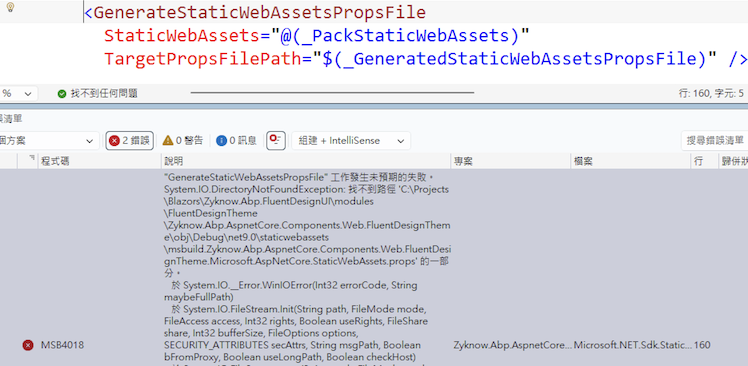
但是如果透過命令視窗卻可以正常建置。
解法
發生這個問題是因為專案的路徑太長,所以解法有以下的方式,
1.縮短路徑:
所以可以依 How to fix: The GenerateStaticWebAsssetsPropsFile task failed unexpectedly in Visual Studio 的方式,讓專案所在的整個路徑不要那麼長。
2.允許長路徑(允許超過 260)
使用 PowerShell 修改 (需管理員權限): 開啟 PowerShell 並輸入以下指令:
1 | New-ItemProperty -Path "HKLM:\System\CurrentControlSet\Control\FileSystem" -Name "LongPathsEnabled" -Value 1 -PropertyType DWORD -Force |
完成後,重新開啟方案來建置,應該就可以建置成功了。
參考資源
How to fix: The GenerateStaticWebAsssetsPropsFile task failed unexpectedly in Visual Studio